Overview
This section provides an overview of how systems utilize component data to execute various functions. Specifically, systems handle pathfinding logic, agent movement, and other related processes to ensure efficient operation.
Physics Step
A Physics Step Entity has to be present (only one) in order for the grid to detect obstacles and penalties. If you drag the Grid prefab into the ECS-Subscene then you don’t need to add one because the Grid prefab has a Physics Step included.
Important
Don’t forget to set the Inaccessible & Penalties LayerMask variables in the Grid and then put the Obstacles in Inaccessible and Penalties in Penalty LayerMask.
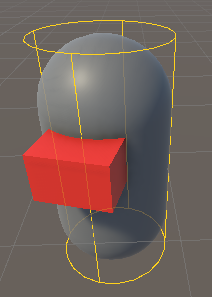
Agent
A Regular Agent has the following components:
- ASAgent:
Contains Basic information about the agent
- ASPathFollower:
Contains the navigation data of the agent
- ASPathfindingRequester:
This component is requests (indirectly, because the real request is done in a separate system) a path from the pathfinding system
- ASPathBufferComponent:
Contains the path points for the agent to follow
- ASPathfindingResult:
Contains whether the pathfinding request was complete or not and whether successful or not
To turn it into An Avoidance Agent keep the previous components and add the following:
- ASAvoidanceAgent:
Make the agent an avoidance agent
- ASAgentNeighboursBufferComponent:
Contains a list of closest neighbouring Agents to perform avoidance on
To make an agent follow an Entity constantly, add this component:
- ASConstantTargetFollower:
Sets the ASPathfindingRequester information automatically, can be set so only updates when target is moving (and skips calculation when target is stationary)
Grid
Important
Only one grid is allowed at a time !
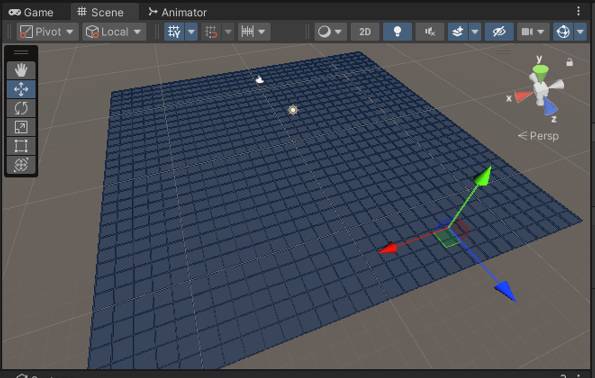
The Grid contains the basic information that an A* grid would have. It is worth noting that if you move Obstacles or Penalties the grid needs to be updated. To do this, set the Grid.RefreshGrid to true
Obstacles & Penalties
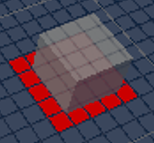
Obstacles and Penalties are detected through collision detection. After they are put in the correct layer mask you need to add an ASObstacle and ASPenalty component to the Obstacle or Penalty.
An Obstacle Can’t be a Penalty at the same time, but obstacles do have penalty costs which helps agents navigate around them without getting too close.
Systems
This is a brief write up on what each system does
- PathfindindSystem:
Processes the pathfinding operations available, puts the results in ASPathfindingResult
- CheckForObstacles:
Checks which grid nodes overlap with an Obstacle and a Penalty
- PathfindingRequestSystem:
Creates the pathfinding operation Entities for the PathfindindSystem to proccess
- AgentMovementSystem:
Moves the agents based on the pathfinding result and information they have, also responsible for avoidance of agents
- CheckNodeIslandSystem:
Checks for the patches of grid that are isolated by walls (islands)